Math paper contains no math

I feel like I need to post about this too–just to get the word out.

At first I thought it was funny, but now it just makes me angry. I first heard about this paper thanks to my brother, Tim Chase, who shared this news via Retraction Watch. Then today I learned a bit more information by way of Alexander Bogomolny and his blog.

Okay, what’s going on? Authors M. Sivasubramanian and S. Kalimuthu have published this completely nonsensical math paper, and here’s what Retraction Watch had to say:

Have a seat, this one’s a howler.

According to a retraction notice for “Computer application in mathematics,” published in Computers & Mathematics with Applications:

This article has been retracted at the request of the Publisher, as the article contains no scientific content and was accepted because of an administrative error. Apologies are offered to readers of the journal that this was not detected during the submission process.

(more)

Go read the whole paper in full text available here. At the very least, this paper has been retracted. That’s good.

But sadly, S. Kalimuthu and his coauthors are responsible for many other terrible papers too (seriously, go check them out!). How does this happen? Can anyone explain it? And why hasn’t he been stopped?

In one paper in particular, he has completely plagiarized Alexander Bogomolny’s site–as one commenter noticed. Check out Alexander’s blog CTK Insights for his coverage.

Like I said, this man needs to be stopped.

.

Using math to get out of a ticket

By now perhaps you’ve seen this floating around the internet. It was reported here and here and here and here, at least.

Physicist Dmitri Krioukov got a $400 ticket for not making a full stop at at stop sign. He wrote a paper explaining why the police officer could have been wrong, went to court, and got the fine lifted.

If you haven’t read the paper, I encourage you to do it. It’s fairly short and only requires knowledge of a Calculus. Here is a direct link to the pdf. Here’s the abstract:

We show that if a car stops at a stop sign, an observer, e.g., a police officer, located at a certain distance perpendicular to the car trajectory, must have an illusion that the car does not stop, if the following three conditions are satisfi ed: (1) the observer measures not the linear but angular speed of the car; (2) the car decelerates and subsequently accelerates relatively fast; and (3) there is a short-time obstruction of the observer’s view of the car by an external object, e.g., another car, at the moment when both cars are near the stop sign.

What do you think? Is Professor Krioukov just trying to buffalo the court, or does he have a legitimate case? I guess if there’s any doubt at all about his guilt, then he should be forgiven the fine. And that’s what the court did rule.

However, there is one particular assumption that he makes which is absolutely way-off (look at the paper and notice the key on Figure 3, labeling the blue curve). But the court certainly didn’t catch that. Like I said, he may have been trying to pull the wool over the eyes of the court with lots of math and physics.

Despite the fact that he published his paper on April 1st, I do think this story is true. Like I said, though, the paper does contain an error. So despite all of his good effort, I think he should have been given the ticket. The court didn’t notice it, but he pulled a fast one on them! (pun intended!)

Math Carnival #85 and other recent gems

Math Carnival

The math carnivals are in full swing. I’ll be hosting one here at Random Walks in June, so get excited for that! 🙂 If you haven’t had a chance to check out Math Carnival #85 hosted by Aperiodical, go do it now. I especially like the idea of Math Busking, since I’ve done plenty of street performing as a juggler. Maybe I need to try adding math to my show!

Also found around the web

  • Awesome article about correct hangman strategy which touches on cryptography and conditional probability. Very good stuff, and possibly of good use in the classroom too.
  • Did you know a knight can visit every space on a chess board? I’m sure you did, but you may not have ever seen it actually happen:

  • I don’t have an iPad, but if I did I would definitely get this app from IBM which presents 1000 years of math history in an interactive way. Looks great!
  • These recent math videos that parody pop songs are funny.

An article from J. Michael Shaughnessy

Here’s another article from NCTM president, J. Michael Shaughnessy. He makes a point that Art Benjamin has made before, that Calculus should not be the goal of high school mathematics. I think I agree too. In general I agree with his article, but there are a few points on which I disagree.

In particular, he says, “If calculus is to be taught in high school, it should be taught at a college level.” I don’t think it hurts to teach non-AP Calculus. I say this because “Calc with Apps” is a course I teach, and I find the students really benefit from the more relaxed pace. There’s no pressure from an AP test at the end. Many come to my class lacking confidence, and leave having their confidence restored.

Shaughnessy goes on to say, “Whenever students enroll in calculus, they should have a solid mastery of algebra, geometry, and trigonometry.” I only agree with this in part. My kids have already taken Algebra 1 and 2, and Precalculus. There are definitely some algebraic rough spots that need to be smoothed out as we go through the course. But again, I find my course the perfect place to do it–since those algebraic skills are routinely needed for the Calculus. And in the end, they say they like math again.

I’ve heard from lots of kids who have gone on to take more Calculus in either high school (AP) or college and have really appreciated the informal foundation that we provided in our lower-key course.

This is Shaughnessy’s final president’s message. President-Elect Linda Gojak will be taking over. I’ll be sure to highlight some of her articles, too!

Wolfram’s Life Data

If you haven’t yet checked out Stephen Wolfram’s blog post from March 8th, you absolutely need to. I was impressed with how many categories of data he kept, not just his presentation and analysis of it. He analyzed his email, walking, phone time, keystrokes, and calendar events. And he did this for all of the last decade! Wow. Here are his averages from over that time, shown against the hours in the day.

This was also a nice chance for him to advertise the incredible power of all of his software!

As for email, you can do an analysis on your gmail account from the past year by using this free utility from toutapp.com. I did it and really enjoyed seeing who my top contacts were, learning that I reply to 18% of the emails I receive, and that 47% of the emails I send get responses. Each month on average I received 240 emails and sent 69 emails. And in 2011, I had to deal with a total of 3299 emails. All of this is just in my personal email account, too! I have two other email accounts as well. Go get your analysis!

Microsoft Office Equation Editor

Even though I’d love to say I use \LaTeX for everything, I actually only use it for my grad school assignments. I don’t use it for all my worksheets and assessments. There is a teacher in our math department who does use \LaTeX for everything, but it’s not me.
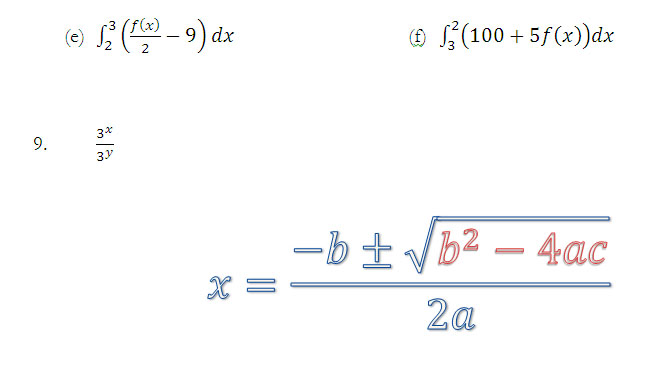
That being said, Microsoft has made a significant upgrade to its equation editor with the release of Office 2007 (I know, pretty stale news–but my school just upgraded this past year) and \LaTeX lovers will love it if they haven’t tried it yet. The old Microsoft Equation 3.0 which shipped with earlier Office products had a few shortcuts, but it was still pretty hard to type equations without using the toolbar. Color-coding was problematic, and equation objects didn’t respond to font-size changes or other formatting properties. Animations in powerpoint were also difficult.

The new equation editor is much better for the following reasons:

1. The shortcuts are amazing, and most simple \LaTeX commands work. For a complete list of shortcuts go here for a great pdf cheat sheet. You can even add your own custom commands if you go into your options to Proofing > AutoCorrect Options and click on the “Math AutoCorrect” tab. Also, pressing Alt+= will immediately launch the editor. So inserting an equation is fast and you never need to leave the keyboard.

2. Most calculator-style syntax is accepted as well. So typing 3^x [space] / 4^y [space][space] results in \frac{3^x}{3^y}, without any extra effort. Tapping the spacebar will automatically convert your calculator syntax into pretty display math. For a more complicated example, consider this:

\lim_{n\to\infty} \frac{(2n+1)(3n-2)}{4n^2}=\frac{3}{2}

produced by typing “lim_(n\to\infty)[space]((2n+1)(3n-2))/(4n^2)[space]=3/2[space].”

3. As hinted above, the new equation editor responds to all the normal font formatting options in Microsoft Office. You can color your formulas, you can change the font size, and you can apply any other text effect like shadow/glow/outline/etc. [edit: Though you can change all those things, no, you cannot change the font face. There are a limited number of fonts available for use, and the only one I know of is the default, Cambria Math–if you know of another one, please share!]

4. In powerpoint, animations are quite a bit easier, since you can do all the equations in-line as part of the text, rather than juggling scads of different text and equation objects.

For more on Microsoft’s new  Equation Editor, please check out my more recent post here!

Happy π day!

Today at our school we had to have the obligatory π day celebrations. Here are the ways we observed π at RM:

  • To raise money for the math honors society, students purchased π-grams for one another and a piece of pi with a note were delivered to the recipients during first period.
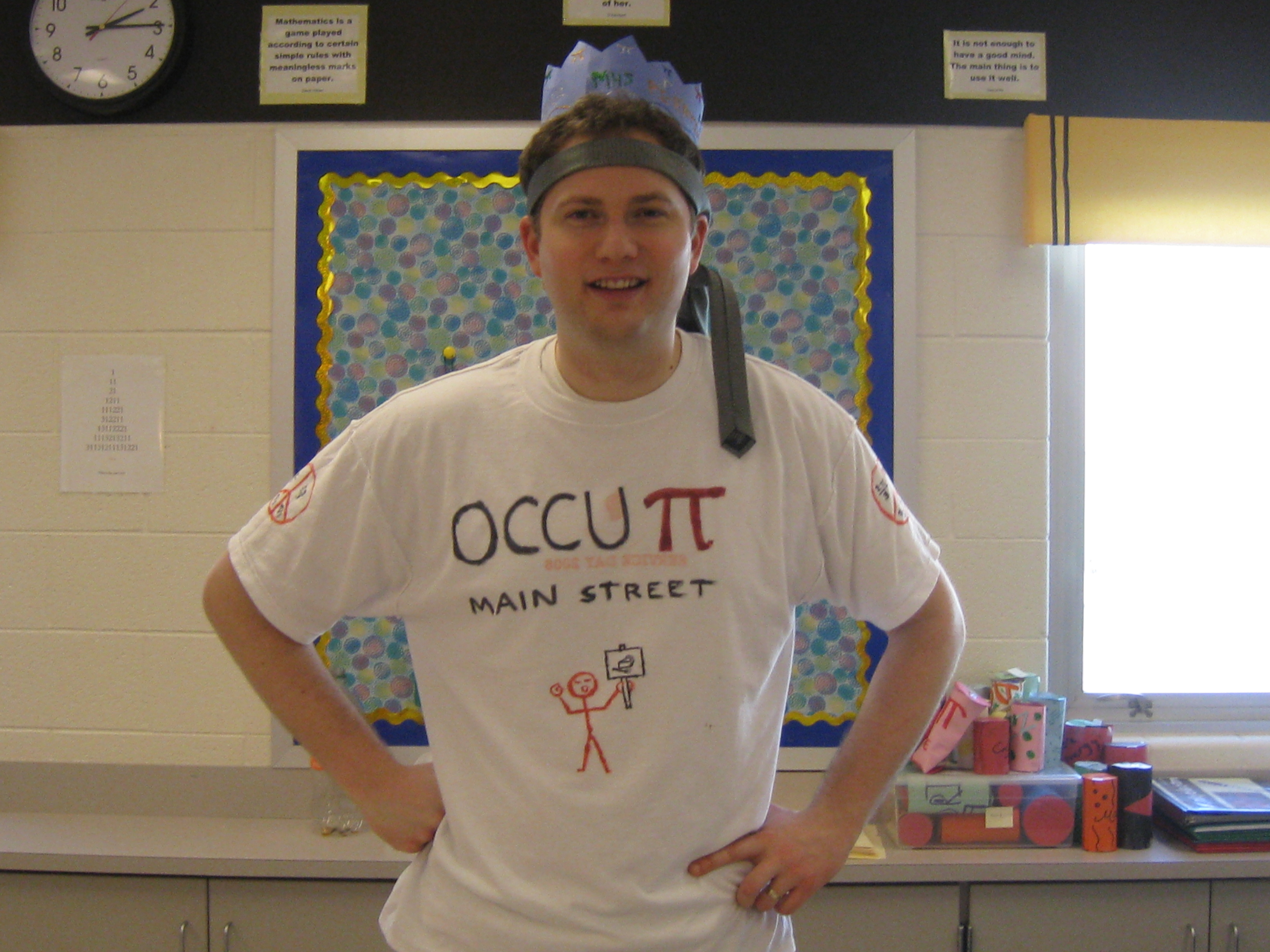
  • There was a pie eating contest on “main street”, also sponsored by the math honors society, and guess who won? Check out my crown!!

Get the joke?? On the back it says "We are the 3.14%."

Action shot

Mr. Chase wins!

  • In each of my classes kids bring in food and we have a π day party. I pass out a sign up sheet a few days before and kids agree to bring all sorts of round food. Here’s the sign up sheet. Feel free to use it, steal it, modify it. Also available in pdf format. Here’s one of my favorite food items from this year:

  • I showed these youtube videos.
  • I did a mini lecture on the history of π and gave some interesting facts about the number.
  • Students got to find out at what digit of π their birthday appears. You can too!

One more thing you can still do, if you haven’t yet observed π day:


Happy π day!!!


Also, on an unrelated note, today’s Google logo is great. If you’re interested in the mathematics of origami, you probably know who Robert Lang is. Today’s Google logo is an origami piece created by Lang in honor of the late Akira Yoshizawa, world famous origami artist.